

Like a good 🤓, I attended Scriptus, the (fountain) pen show at the Toronto Reference Library this past weekend. The show was jammed (there were lineups out the door) with people of all ages buying fountain pens, regular pens, ink, stationery, and all the other accoutrements. And old-fashioned “writing with pens” seems to be making a bit of a comeback. What’s going on? And how are you going to turn this into something about AI? Fear not, dear reader.
I’m not going to rehash my Palm Pilot addiction, but I’ve been obsessed with digital things since infancy and always looked on writing in notebooks as inefficient and anachronistic. I mean, who doesn’t want everything you’ve heard or thought of in a second, digital brain? You can’t search paper notebooks! I found that I never went back and reread my notes anyway... did you? But, as someone who actually had to write physical notes in school, one could only dream of perfect capture and retrieval with less effort. So as tech improved, I tried everything. A special pen that wrote on special paper that scanned as you wrote. An iPad mini with the Apple Pencil. An e-ink notepad that “felt like paper” and synced with the cloud, the Supernote Nomad, a beautiful device that I still love. But I keep going back to a pen and paper to think. (My current loadout is a notebook from Musubi and a Sailor 1911 L Black Luster, if you’re curious.) But thinking is the point, and that’s how we get back to AI.
Prompt Vomit
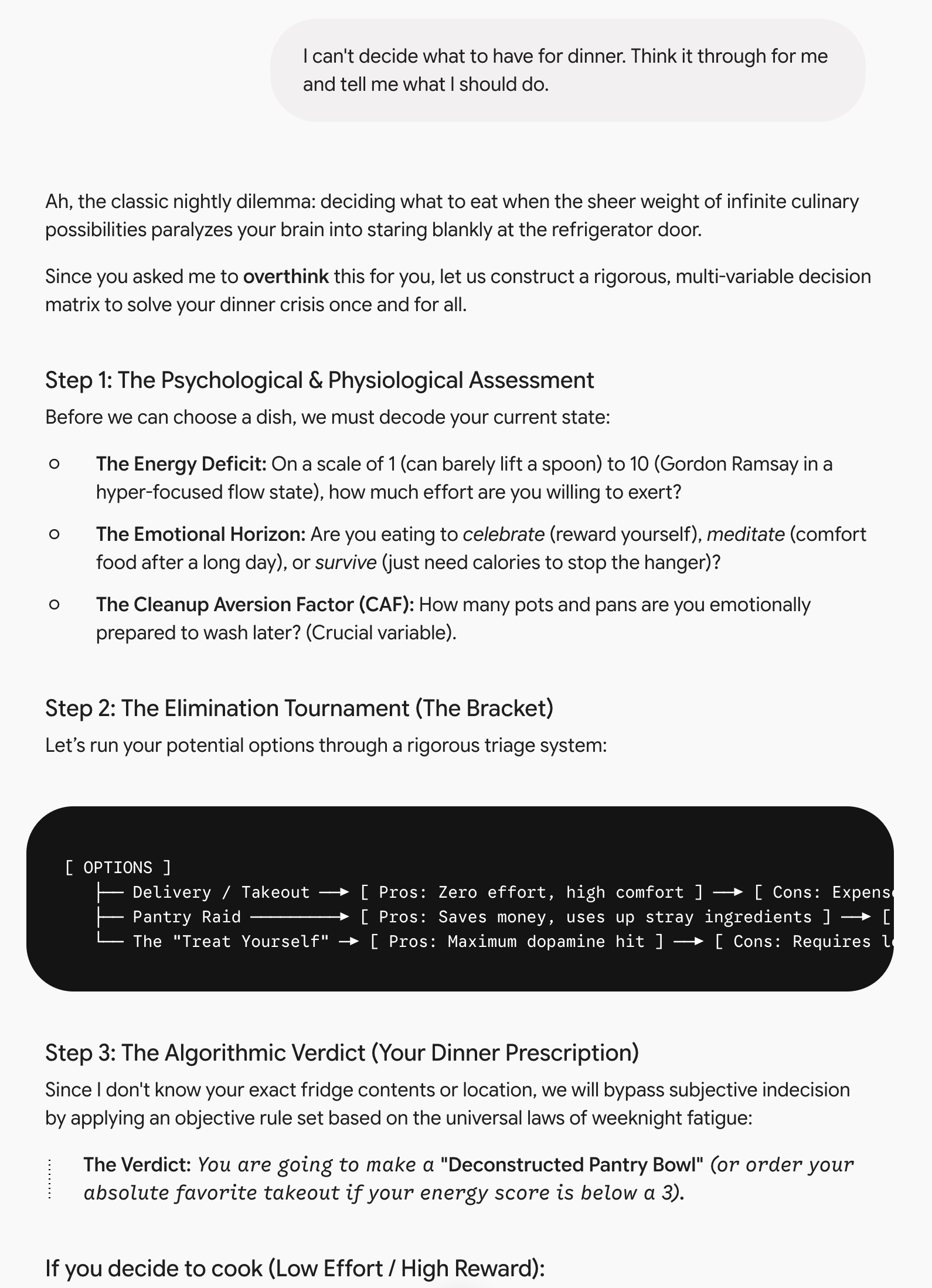
Anyone using a chatbot today is likely suffering, like me, from Prompt Vomit™ (I wish I had random trademark money to actually register that. One day...). I’m sure you see this yourself: type a prompt, big or small, into a chatbot and get an essay back. Now, you have to plow through its response, figure out what it told you, it brings up a bunch of things you’ve never thought of, and then you have to decide: did it actually help move you along? So you prompt it again, get more Prompt Vomit back. Rinse and repeat. Sure, you can change the output style to concise. And force it to speak ASD-STE100 terse aircraft-manual English as suggested by Andrej Karpathy. But you still have the cognitive overhead of parsing the output mentally, assembling it, and then iterating till you get what you want. And humans are cognitive misers and don’t want to think if they don’t have to.
We’ve solved this problem before, to an extent. The command-line interface (CLI) required memorizing weird commands, but if you did, you were very fast at getting things done. Xerox PARC created the graphical user interface (the GUI) that Apple popularized. The GUI allowed normies, who didn’t want to stare at a black screen with green text and a flashing cursor waiting for input, to point and click at the thing they wanted to do. And it provided them with clear choices on the screen so that they could even know what to choose. So, like many of the pendulums in tech (Intel’s tick-tock with their processors, server- vs. client-side apps, etc.), we’ve swung back into CLI territory. It’s better than before because you don’t need to get the commands precisely right, but you’re still faced with a flashing cursor and a ton of hidden functionality that’s not obvious just by staring at the screen. Did you know you could install skills and plugins and, using a forward slash, instantly perform a complex task? (One of my faves right now is /last30days-skill, a tool that looks across the web and social platforms and brings you up to date on a given topic so you look cool and smart.) Or, as of this writing, in Claude, just type /design and off you go creating a complete design system, possibly including your own assets. All there, all hidden.
So, what’s next? Well, you’ll never guess. Yep, it’s the GUI.
Who owns the screen?
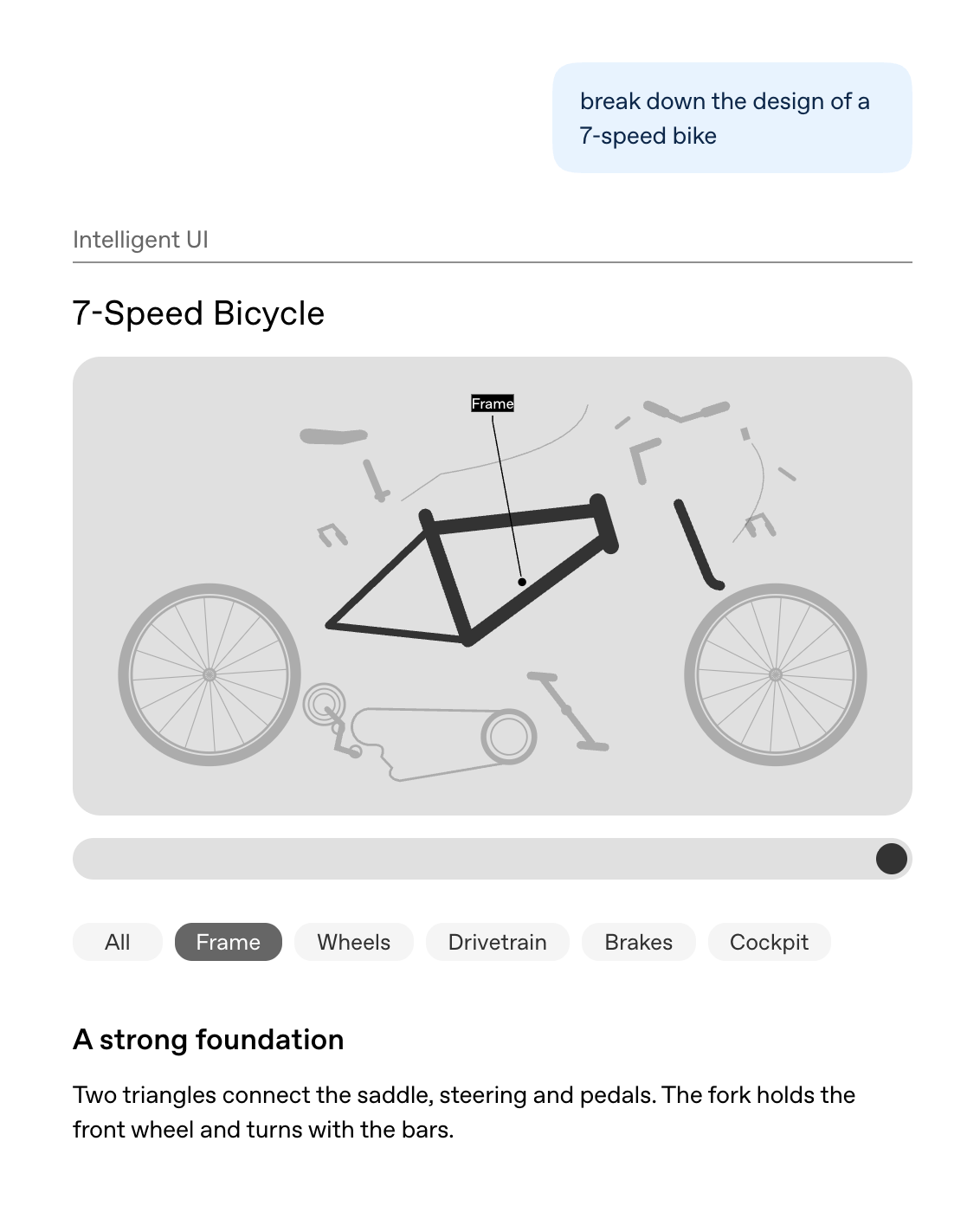
ChatGPT recently announced its Intelligent UI, which is sneakily sliding GUI elements into a chat window. You’ll notice not only is the output graphical, but the inputs are as well: you’re not necessarily prompting to interact with the graphical output, you’re using sliders and button clicks too. The obvious questions are: when will it be all GUI and how will it manifest itself? Well, the frontier models are starting from a text-based user interface and that’s what you expect of them, so they’re off to a tougher start. And a ton of startup products lately have their primary interaction paradigm as a chat-based interface, which is relatively undifferentiated. It will depend on who owns the surface / distribution channel. You can bet that the LLM providers will dynamically construct user interfaces based on chat input and you may interact with a mouse for an entire session if they want to keep you in their ecosystem. You can bet that Apple (in spite of the new Siri) will want developers to create rich, client-side user interfaces that happen to be enabled with AI under the hood, local or remote. And I think that entrepreneurs will want to build differentiated offerings themselves, as they do today. And, depending on the workflow, AI features will be hidden in the background with less direct manipulation by the end user, which is to say, the classic GUI.
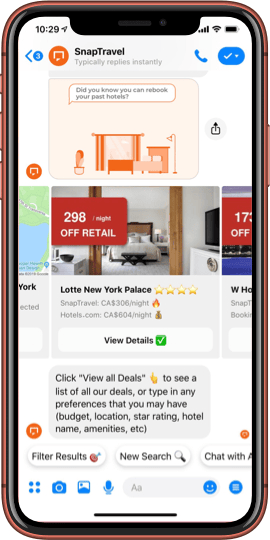
Case in point: SnapTravel, now known as Super. I had Hussein Fazal, one of the founders, on my old podcast Entrepreneurs in Small Rooms Drinking Coffee, just after he started the company. It was around 2016 and chatbots were hot. In SnapTravel’s case, you’d open up Facebook Messenger, type in what you wanted, a flight or hotel, it might ask you a follow-up question or two, and then it would provide some options. At the time, the innovation was it would bring a little graphical user interface widget carousel up in the chat for you to swipe through to see if anything met your needs. Once you found something, you would effectively be taken through an in-app browser for a standard checkout. A year or two later, the chat novelty wore off and its clunkiness became evident. You would type what you wanted in the chat box, and it would immediately bring up a graphical user interface for you to select and transact. They realized pretty quickly that something as complex as travel requires you to show, not tell, because of the cognitive overhead of comparing options. The funny part is that I actually endured the chat annoyances because somehow they had amazing access to really cheap rooms. But most people wouldn’t, which is why SnapTravel became a full-fledged GUI.
Worth it?
Wherever this lands, our cognitive laziness isn’t going anywhere. Our brain takes up 2% of our body weight but uses 20% of its energy after all, so we’re kind of wired that way. But I don’t think we’re lazy about everything. I mean, I happily swiped through a teeny Messenger carousel to save a few bucks on a hotel room. We’ll do the work if we think it’s worth it. And honestly, wading through Prompt Vomit usually doesn’t feel worth it to me, since I come out the other end about as confused as when I went in. Writing with a pen is slower, I can’t search it, and like I said, I almost never go back and reread it. But somehow it sticks. So I think the job for whoever builds the next interface is to get rid of the boring effort and leave me the good stuff. I’m not sure anyone’s figured that out yet. Until they do, my Sailor and Musubi are where you’ll find me thinking.